TornadoCommander-PoC Dispatch Console for Push‑to‑Talk Communications
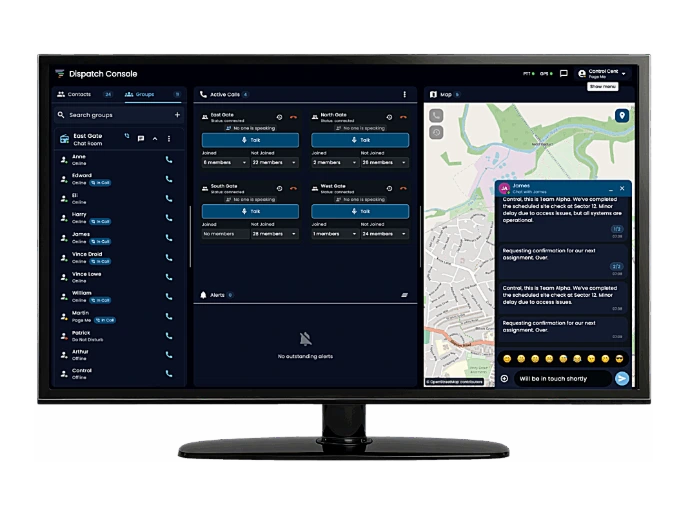
Manage teams, radios, and talk groups instantly from one unified interface. The Mobile Tornado PoC Dispatch Console gives dispatchers real‑time visibility, voice control, and messaging-linking field radios and walkie‑talkies with command centers anywhere over LTE and Wi‑Fi.
TornadoCommander
Mobile Tornado's PoC Dispatch Console
empowers command centers and operations teams to
manage voice, video, and messaging communications
across fleets of PoC radios and walkie‑talkies.
Designed for public safety, logistics, and enterprise
operations, it delivers secure, real‑time coordination through a
browser‑ or PC‑based dashboard accessible from anywhere.
Key Features
| 🗺️ | Real‑Time Tracking | Monitor device locations on live maps with status updates. |
| 🎙️ | Instant Push‑to‑Talk Control | Talk directly to individuals or groups via PC or browser. |
| 💬 | Voice & Message Integration | Combine text, voice, and alerts in one dashboard. |
| 📡 | LTE & Wi‑Fi Network Support | Seamless communication with field radios and walkie‑talkies. |
| 🔒 | Secure User Authentication | Encrypted sessions keep communication confidential. |
| 🖥️ | Web / Desktop Console | Access through Windows, macOS, or web browser. |
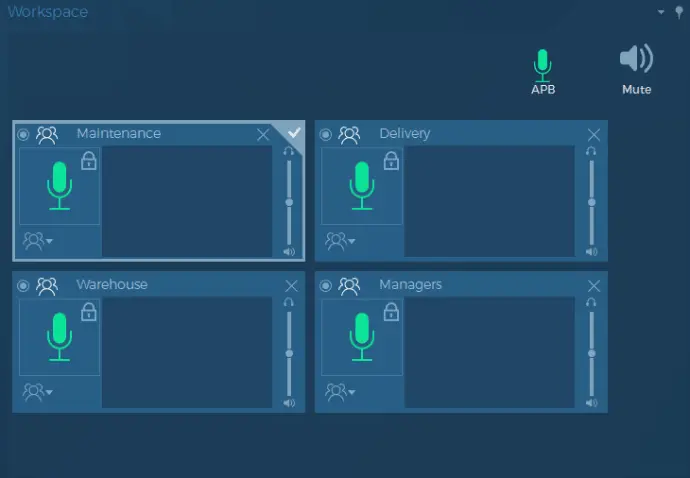
Dispatch Workspace
Drag groups or contacts to the Dispatch Workspace to monitor, manage, and talk to them. The dispatch system allows multiple simultaneous groups in the workspace.
Each group has individual audio settings like, destination and volume. There is even an All-Points-Bulletin button that will broadcast to all groups on the workspace at once.
The Dispatch Software supports keyboard shortcuts, desktop mics, and a foot switch, allowing extreme flexibility in operation.
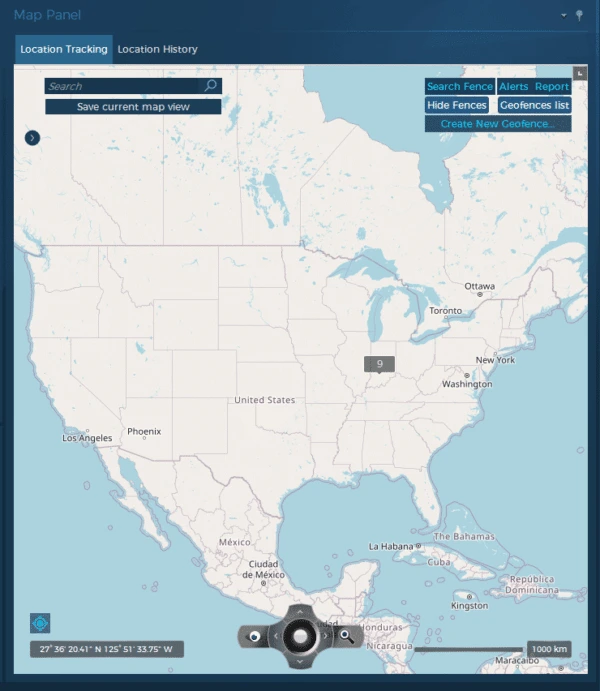
Map Panel
- View real-time GPS location of your workforce*
- See instant location of units in Emergency Status*
- See closest units to any emergency automatically*
- Set geofence alerts when units enter or exit and area*
- Schedule a Demo
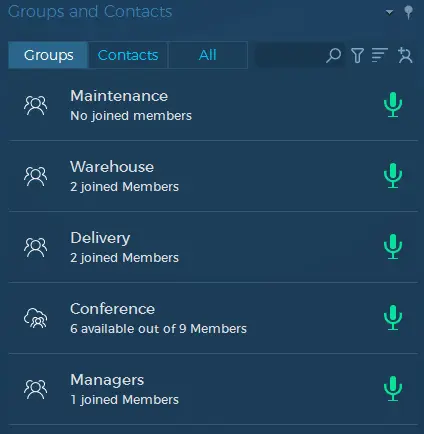
Groups & Contacts Panel
- View & Manage Group Status
- View & Manage Contacts
- Initiate Group /Private 1-on-1 Calls
- Initiate Text or Video Chat*
Industry Applications for the TornadoCommander PoC Dispatch Console
Whatever your industry, it eliminates gaps between field operations and control rooms.
Public Safety Response

Real‑time command for
first responders.
Transportation & Fleet Mngmt.

Dispatch & track vehicles
nationwide.
Construction Operations

Multiple sites from
one dashboard.
Security & Facility Services

Coordinate teams
across locations.
Workforce
Advanced Feature Management*
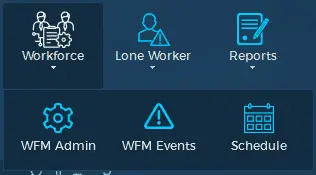
Workforce Management
Workforce Management allows for timekeeping and scheduling of personnel. This advanced feature also allows for the creation and assignment of questions and task lists to the workforce. It can even handle leave requests.
Workforce management also allows employees to file custom incident reports. These reports can require the sender to answer questions, attach pictures, or video, as well as enter reported information. These reports are great for reporting safety violations, customer issues, or marking guard rounds.
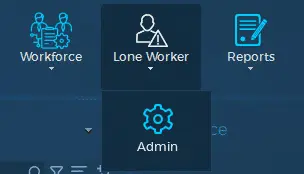
Lone Worker
The Lone Worker feature is used to monitor the safety of workers in solo or dangerous situations. With fully customizable profiles you can set check-in timers and set how a lone worker must check-in.
The lone worker will be alerted if there are nearing a required check-in and can be placed into Emergency Status if the check-in is missed.
Once in Emergency Status the dispatcher as well as other workers can be notified and will be provided with the workers exact GPS location.
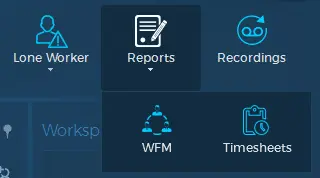
Reports
From the reports dashboard your dispatcher can manage all workforce submitted reports from the field, as well as timekeeping and leave requests.
Reports can also be sent automatically to supervisors.
Recordings
Recordings can also be reviewed and managed from within the Dispatch Software. Recordings can be enabled by group or per individual subscriber.
* Some Features Require Additional Licensing on the Relevant Radio Subscriber.